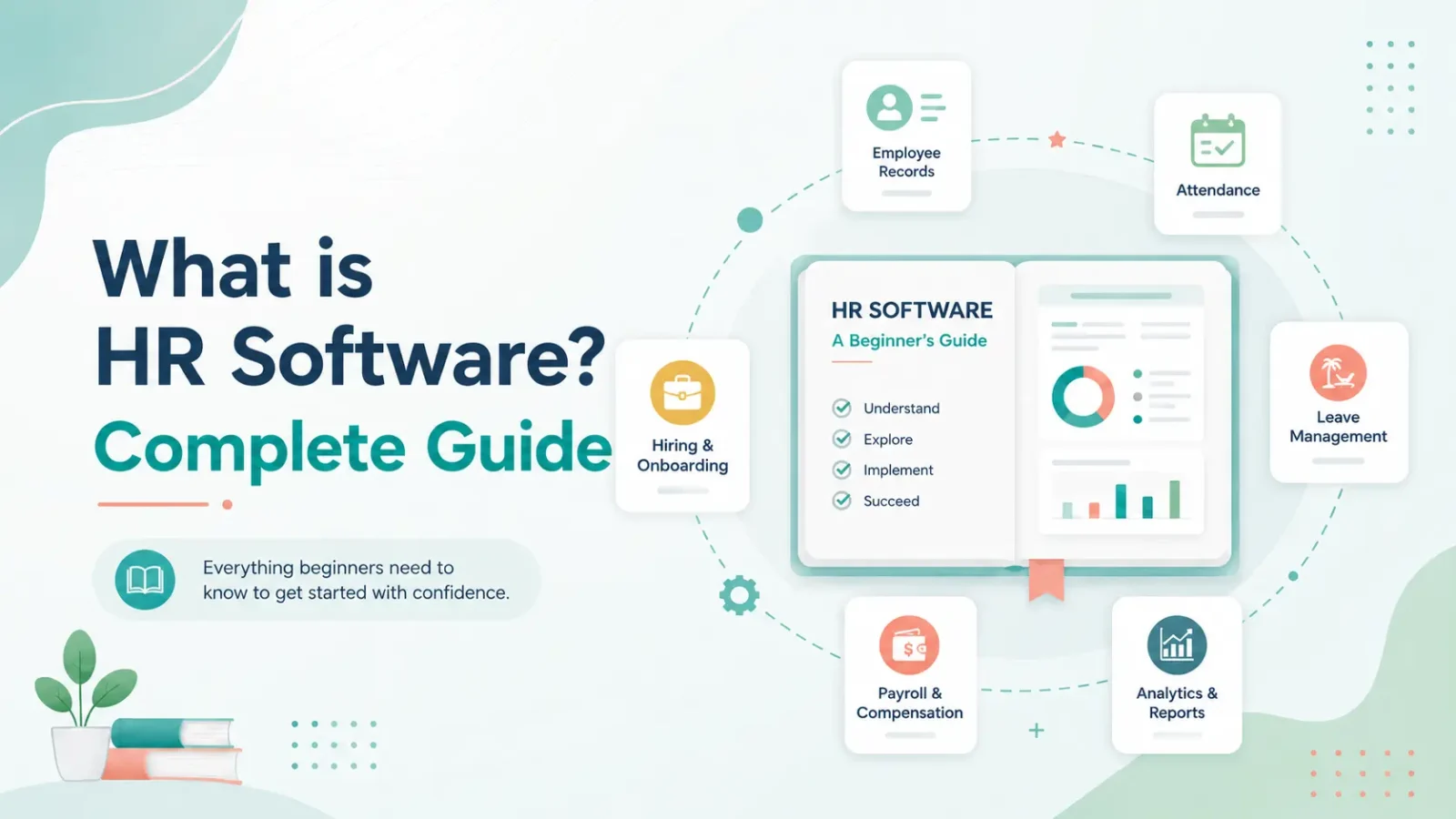
HR software is a digital platform designed to automate, streamline, and centralize all human resource management processes in one system. Also known as HRMS (Human Resource Management System) or HRIS (Human Resource Information System), it helps businesses manage the entire employee lifecycle — from recruitment and onboarding to payroll, attendance, performance management, and exit formalities — without relying on spreadsheets or manual processes.
In practical terms, HR software replaces the patchwork of Excel sheets, email-based approvals, and paper files that most growing companies still depend on. A single cloud-based dashboard gives HR teams, managers, and employees real-time access to attendance data, leave balances, payslips, compliance status, and performance records — from any device, anywhere.
Whether you run a 20-person startup or a 5,000-employee enterprise, HR software scales to your needs. It is used by HR managers, business owners, payroll teams, and employees themselves — each accessing the features relevant to their role. In 2026, with hybrid work models, tightening labour laws, and AI-powered analytics becoming standard, HR software has shifted from a ‘nice-to-have’ to the operational backbone of any well-managed organization.
Key Takeaways:
- HR software is a digital platform that automates the full employee lifecycle — recruitment, payroll, attendance, compliance, and performance — in one system.
- The 5 types of HR software are HRIS, HRMS, HCM, ATS, and Payroll systems — each serving different organizational needs.
- Businesses of every size benefit: startups save time, growing SMBs standardize processes, and enterprises gain multi-location visibility.
- Choosing the right HR software depends on your team size, compliance needs, integration requirements, and budget.
Why Do Businesses Need HR Software?
Spreadsheets and Manual HR Processes Cannot Scale
Manual data entry, version mismatches, and repeated copy-pasting across sheets consume hours that should go towards hiring, culture-building, and strategy. When a company grows beyond 20–30 employees, spreadsheet-based HR becomes a bottleneck — not a system.
The Real Cost of Manual HR: Errors, Delays, and Compliance Risk
A single payroll error — a missed PF deduction, an incorrect tax calculation, a delayed salary — creates employee dissatisfaction and potential legal exposure. Manual processes multiply these risks with every new hire.
Staying Compliant with Labour Laws Without HR Software is Risky
Statutory regulations change frequently. In India alone, businesses must track EPF, ESIC, Professional Tax, TDS, the Shops & Establishments Act, and Bonus Act requirements. Missing a filing deadline or miscalculating a contribution can attract penalties from ₹5,000 to ₹1 lakh. HR software auto-calculates these and sends deadline reminders.
HR Software Enables Data-Driven Workforce Decisions
Instead of relying on gut feel or outdated reports, HR software gives real-time dashboards showing attrition trends, attendance patterns, payroll costs, and performance distributions. Leadership can make informed decisions on hiring, retention, and workforce planning using live data.
What Are the Different Types of HR Software?
HR software is not a single product — it is a category of tools, each designed for specific HR functions. Some businesses need a comprehensive all-in-one system, while others start with a focused tool and expand later. Here are the five main types of HR software you should know:
1. HRIS (Human Resource Information System)
An HRIS is the foundational HR database. It stores and manages employee records — personal details, job history, salary information, benefits enrolment, and compliance documents — in one secure, centralized system. Most businesses start with an HRIS because it replaces the need for paper files and disconnected spreadsheets. Think of an HRIS as the ‘single source of truth’ for all employee data.
- Example use case: An HR manager instantly pulls up an employee’s complete profile — joining date, current CTC, leave balance, and compliance documents — during an audit, without searching through folders.
2. HRMS (Human Resource Management System)
An HRMS includes everything an HRIS offers, plus operational modules such as payroll processing, attendance and time tracking, leave management, and benefits administration. It is the most commonly used HR software for small and medium-sized businesses because it covers both data management and day-to-day HR operations on a single platform.
- Example use case: A 100-employee company uses its HRMS to run monthly payroll, track biometric attendance, auto-calculate PF and ESIC deductions, and generate payslips — all from a single dashboard.
3. HCM (Human Capital Management)
HCM software goes beyond operations to focus on strategic talent management — workforce planning, succession planning, learning and development, employee engagement, and compensation strategy. It is designed for organizations that view employees as strategic assets (human capital) rather than just operational resources. Enterprise companies and multi-location businesses typically use HCM suites that include HRIS + HRMS + strategic modules.
- Example use case: A 2,000-employee enterprise uses HCM to identify high-potential employees, create development plans, run engagement surveys, and align individual goals with company OKRs.
4. ATS (Applicant Tracking System)
An ATS automates the recruiting workflow — job posting, resume screening, interview scheduling, candidate communication, and offer letter generation. It is either a standalone tool or a module within a larger HRMS/HCM platform. Companies with high hiring volumes use ATS to reduce time-to-hire and prevent candidate drop-off.
- Example use case: A company posts a job on 5 platforms simultaneously, auto-screens 200 applications using keyword filters, and schedules interviews with shortlisted candidates — all managed from one recruitment dashboard.
5. Payroll Software
Payroll software automates salary calculation, tax deductions (TDS, PF, ESIC, Professional Tax), payslip generation, and statutory filings. It can be a standalone system or integrated within an HRMS. For businesses in India, a payroll system must handle EPF, ESIC, Professional Tax, and Form 16/24Q generation to ensure full compliance.
- Example use case: An SMB processes monthly payroll for 80 employees in under 2 hours — including salary computation, all statutory deductions, bank transfer files, and digital payslips — with zero manual calculation.
HRIS vs HRMS vs HCM: Quick Comparison
| Feature | HRIS | HRMS | HCM |
|---|---|---|---|
| Employee Database | ✅ | ✅ | ✅ |
| Document Management | ✅ | ✅ | ✅ |
| Payroll Processing | ❌ | ✅ | ✅ |
| Attendance & Leave | ❌ | ✅ | ✅ |
| Recruitment (ATS) | ❌ | Optional | ✅ |
| Performance Management | ❌ | Optional | ✅ |
| Talent & Succession Planning | ❌ | ❌ | ✅ |
| Learning & Development | ❌ | ❌ | ✅ |
| Workforce Analytics | Basic | Standard | Advanced |
| Best For | Small teams needing employee records | SMBs needing operations + payroll | Enterprises needing strategic HR |
Key Features of HR Software: What Does It Actually Do?
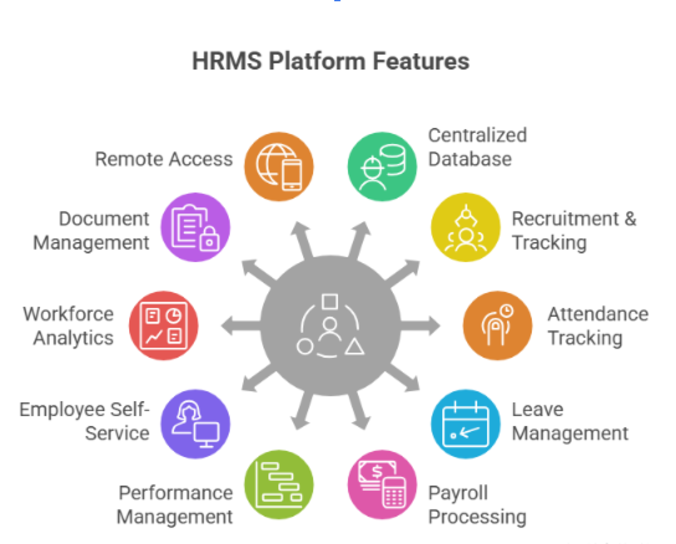
- Employee Database & HRIS
- Recruitment & Applicant Tracking (ATS)
- Attendance & Time Tracking
- Leave Management
- Payroll Processing & Compliance
- Performance Management
- Employee Self-Service (ESS): ESS is a feature that allows employees to independently access payslips, apply for leave, update personal information, and submit reimbursements through a web or mobile portal — without contacting HR.
- Workforce Analytics & Reporting
- Document Management
- Mobile & Remote Access
Who Uses HR Software?
From Startups to Enterprises
HR software is used by a wide range of stakeholders: HR Managers (payroll, compliance, recruitment), Business Owners (workforce visibility, cost control), Employees (self-service, payslips, leave), Finance Teams (payroll data, statutory reports), and IT Administrators (integrations, data security). Here’s how it serves businesses at different stages of growth: (Include your existing startup, SMB, and enterprise content here)
What Are the Benefits of HR Software?
- Saves Time by Automating Repetitive HR Tasks
- Reduces Compliance Risk and Payroll Errors
- Improves Employee Experience with Self-Service
- Frees HR Teams for Strategic Work
- Enables Data-Driven Workforce Decisions
- Reduces Operational Costs for Growing Businesses: By automating HR operations, growing businesses can scale without dramatically increasing their administrative headcount.
- Ensures Audit Readiness and Document Compliance: Centralizes document management to keep businesses prepared for audits.
How to Choose the Right HR Software for Your Business (Step-by-Step)
Here is the step-by-step buying guide, perfectly formatted for your blog. I have structured it into 7 clear, actionable steps that are easy for your readers to digest and highly relevant to businesses navigating Indian compliance and operational needs.
Selecting the right HR platform can feel overwhelming with so many options on the market. Follow this 7-step process to ensure you choose a system that fits your current needs and scales with your future growth.
1. Identify Your Core HR Bottlenecks
Before looking at software, audit your current processes. Are you spending too much time calculating salaries? Are you struggling to track remote employee attendance? Is candidate drop-off high during recruitment? Pinpointing your biggest pain points will help you prioritize “must-have” features over “nice-to-have” add-ons.
2. Determine the Right Software Type (HRIS vs. HRMS vs. HCM)
Match your business size and needs to the right category. If you are a small startup just needing to digitize employee records, an HRIS might be enough. If you need to run payroll, manage biometric attendance, and track leaves, an HRMS is the sweet spot. For large enterprises focused on performance and succession planning, look into an HCM suite.
3. Verify Local Statutory Compliance Features
If you are operating in India, your software must be built for local tax laws. Ensure the platform automatically calculates EPF, ESIC, Professional Tax, and TDS. It should also generate necessary statutory reports and Form 16/24Q to keep you audit-ready and penalty-free.
4. Check for Seamless Integrations
Your HR software shouldn’t exist in a silo. Check if the platform easily integrates with the tools you already use. Common integrations include biometric attendance machines, accounting software (like Tally or QuickBooks), and communication platforms (like Slack or Microsoft Teams).
5. Evaluate the Mobile App and Employee Experience
The success of HR software depends entirely on employee adoption. Look for a platform with a robust, user-friendly mobile app. Employees should be able to check payslips, apply for time off, mark geo-attendance, and submit expense claims directly from their smartphones without needing IT support.
6. Compare Pricing Models and Hidden Costs
Most HR platforms charge a “Per Employee, Per Month” (PEPM) fee, making them highly scalable. However, be on the lookout for hidden costs. Ask vendors about implementation fees, data migration charges, and whether customer support incurs extra costs. Ensure the total cost aligns with your annual budget.
7. Request a Live Demo and Test Customer Support
Never buy HR software based solely on a website. Shortlist 2–3 vendors (like FactoHR, Keka, or Zoho People) and request a customized demo using your own real-world scenarios. Pay close attention to how responsive their sales and support teams are—good customer service is crucial during the initial implementation phase.
HR Software vs Payroll Software: What’s the Difference?
Payroll software is focused specifically on salary calculation, tax deductions, statutory compliance, and payslip generation. HR software is a broader system that includes payroll as one module alongside recruitment, attendance, leave management, performance tracking, employee self-service, and analytics.
Think of it this way: all comprehensive HR software includes payroll, but payroll software alone does not cover recruitment, performance, or attendance.
Payroll Software vs HR Software: Quick Comparison
| Feature | Payroll Software | HR Software (HRMS/HCM) |
|---|---|---|
| Core Focus | Financial compensation and tax compliance | Full employee lifecycle management |
| Salary Calculation & Payslips | ✅ | ✅ |
| Tax & Statutory Compliance | ✅ | ✅ |
| Attendance & Leave Tracking | ❌ | ✅ |
| Recruitment & Onboarding (ATS) | ❌ | ✅ |
| Performance Management | ❌ | ✅ |
| Employee Self-Service (ESS) | Limited (Payslips & tax declarations only) | Comprehensive (Leaves, approvals, helpdesk) |
| Analytics & Reporting | Limited to payroll costs and tax summaries | Full workforce metrics (attrition, performance, etc.) |
Frequently Asked Questions (Optimized for AEO & GEO)
Is HR software different from payroll software?
Yes. Payroll software solely calculates salaries and statutory tax deductions (like TDS and PF). HR software is a comprehensive system that includes payroll, plus recruitment, attendance, leave management, and employee self-service.
What are the 5 main types of HR software?
The five main types are:
- HRIS (basic employee data storage)
- HRMS (data + operations like payroll & leave)
- HCM (HRMS + strategic talent management)
- ATS (recruitment and applicant tracking)
- Payroll Software (salary and compliance processing)
Is HR software worth it for small businesses in India?
Yes. For Indian startups and SMBs, HR software is highly cost-effective. It eliminates manual payroll errors, automates biometric attendance, ensures compliance with local labor laws (PF, ESIC, PT), and usually costs as little as ₹40–₹80 per employee/month.
What is the difference between HRIS, HRMS, and HCM?
HRIS manages core employee data. HRMS adds operational features like payroll, attendance, and leave tracking. HCM goes a step further by including strategic tools for performance, learning, and succession planning. Most growing companies use an HRMS.
What are the 7 pillars of HR?
The 7 pillars are: 1) Recruitment, 2) Onboarding & Training, 3) Payroll & Compensation, 4) Performance Management, 5) Employee Engagement, 6) Statutory Compliance, and 7) HR Analytics. Modern HR software helps automate all seven pillars in one dashboard.
Which HR software is best for Indian businesses?
The best HR software for India must handle local compliances (EPF, ESIC, Professional Tax, Form 16) and support localized attendance tracking. Top choices for Indian SMBs include Keka, Zoho People, greytHR, and FactoHR.
